1. What is WebClip?
WebClip is a small tool I built for sharing a password, verification code, link, or other short secret once. Your recipient reads it, and then it is gone.
That sounds simple, but it fixes an everyday problem: secrets sent through chat, email, or ticket comments tend to stay in histories, archives, and notifications. WebClip gives me a cleaner handoff: read it once, then destroy it.
Why I Built It
I started WebClip while remotely setting up newly installed Windows accounts. Before a secure channel was ready, I still had to pass setup instructions, long internal paths, and temporary credentials. Typing them across screens was frustrating, but pasting them into an unencrypted chat left a trail I did not want. So I made a small tool for that gap.
WebClip has been useful enough that I kept improving it. The biggest recent upgrade changed it from a single retrieval code to a retrieval code + secret key flow, which makes a leaked link much less useful.
What I Designed It To Do
- Read it once: As soon as someone successfully reads a message, the server purges it from memory.
- Clean up after itself: Unread messages expire automatically. Too many failed retrieval attempts also trigger an immediate purge.
- Make guessing expensive: Basic one-time-note tools often rely on only a URL token. WebClip adds a retrieval code, a secret key, and a strict failed-attempt limit.
- Stay small and focused: WebClip is for text. The server defaults to 1 GB of total in-memory capacity and 1 MB per message. You can Base64-encode a small binary file as text, as long as it stays within that 1 MB limit.
2. Use Cases
Here are the situations I built WebClip for:
- Passing credentials to a coworker: Even if the link later ends up in a chat history, the message cannot be read twice.
- Dropping a one-time snippet into a group chat, email, or ticket: It is a better fit for semi-public threads because the payload self-destructs after the first read.
- Getting a fresh machine started: Send an initial setup script, internal network path, or temporary password to a newly provisioned workstation.
What WebClip is NOT
WebClip is not trying to replace your messenger or become an encrypted cloud drive. It is deliberately narrow: a one-time courier for short text.
3. Client Interfaces
You can use WebClip in a browser or through the companion client. If you only need the basics, the web page is the fastest way to start.
Web Client (xh-dev/webclip-web)
- Create: Paste in the text → WebClip gives you a retrieval code and a 3-character uppercase secret key → share the link, then send the key to your recipient separately.
- Retrieve: Open the link → enter the retrieval code and the 3-character uppercase secret key → read the content once before the server purges it.
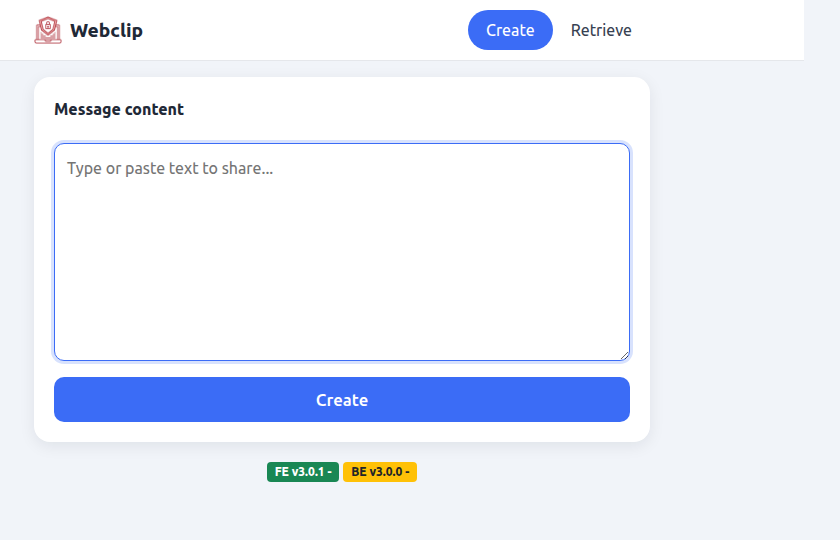
Paste the short secret you want to hand over, then create the one-time message.
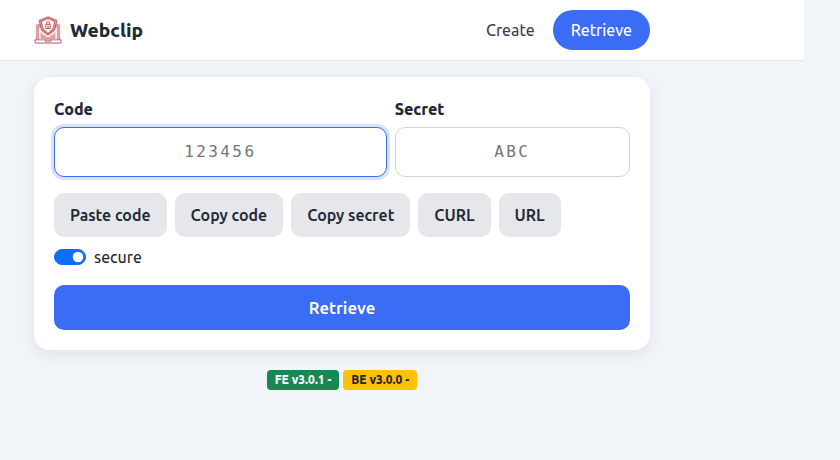
The recipient needs both the retrieval code and secret key before the message can be opened.
Native & Mobile Support (xh-dev/webclip-client)
- Desktop / Native:
webclip-clientis my native wrapper for desktop workflows. - Mobile: I chose not to build a separate mobile app. The web client works directly on mobile devices as a Progressive Web App (PWA).
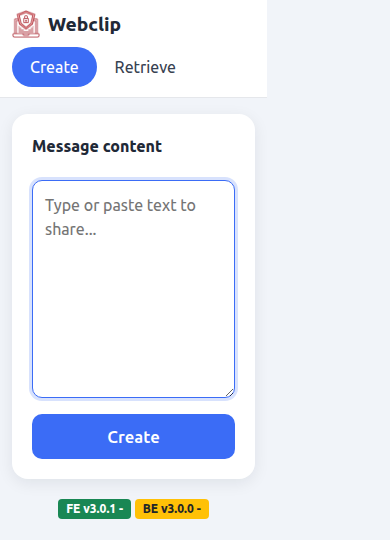
The responsive web client works on mobile too, and you can install it as a PWA.
4. Architecture & Security Model
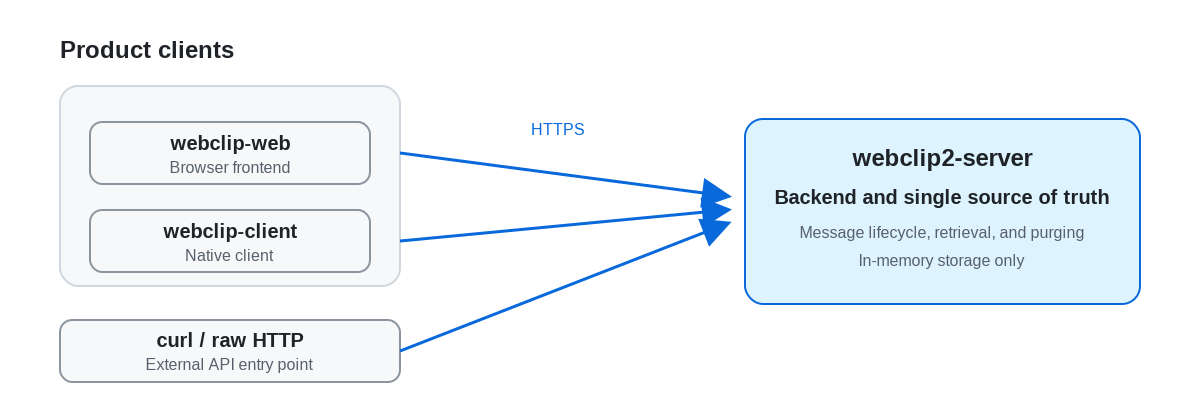
I keep WebClip in three repositories, but they make up one product. webclip-web and webclip-client are the client applications I maintain. Tools such as curl are simply external ways to call the server; they are not part of the project.
1. Single Source of Truth (webclip2-server)
The backend owns the whole message lifecycle: creation, one-time retrieval, failed-attempt counting, and purging. It keeps data in memory only—nothing is written to disk.
2. Multiple Client Entrances
Both clients use the same HTTPS API. I also made that API usable directly, so curl, httpie, Postman, or a custom script can talk to it without a dedicated client. The repositories are my component boundaries; those HTTP tools are independent API consumers.
3. Security Model & Trade-offs
A 3-character uppercase secret key has \( 26^3 = 17,576 \) possible combinations. That is not enough entropy on its own, so I pair the key with a strict failed-attempt purge:
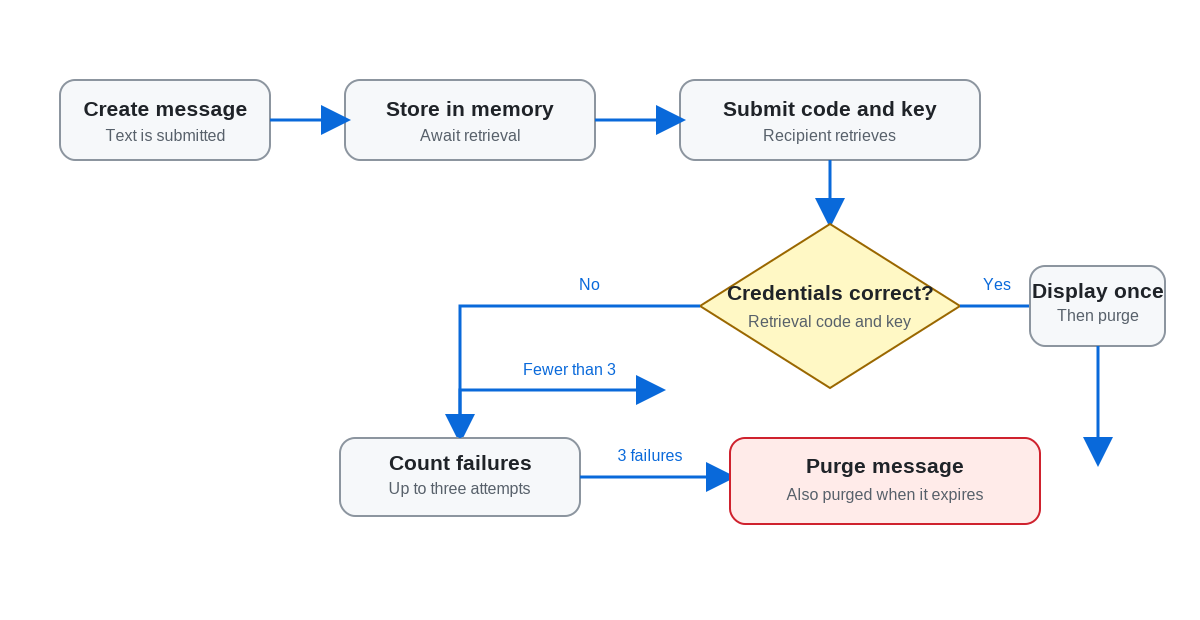
- 3 wrong guesses → immediate purge: After three incorrect secret-key guesses, the message is permanently deleted. An attacker gets only a tiny window—about a \( 3/17576 ≈0.0171\% \) chance—before destroying the data they want.
- Two separate pieces to deliver: The retrieval code lives in the URL, while the 3-character secret key should be sent separately or spoken aloud. A leaked URL in a chat or proxy log is not enough by itself.
- No audit trail by design: I do not keep a record of who created or read a message. Once it is purged from memory, no record remains.
- A clear boundary: I plan to add IP-level rate limiting to help with memory-exhaustion abuse. It is not the main security control: the read-once and failed-attempt purge mechanics already limit the exposure of each message.
5. Links & Repositories
- Try WebClip: https://webclip.webutils.space
- See the web frontend: https://github.com/xh-dev/webclip-web
- See the native client: https://github.com/xh-dev/webclip-client
- See the backend: https://github.com/xh-dev/webclip2-server